
Take back
control of Your
digital life 

Safebox is a free, open-source framework that lets you host and manage third-party apps directly on your own device. It’s designed for local control, privacy, and simplicity — free and fair usage for everybody, funded by donations.
Self-host applications on your domain and access them from any device using a standard web browser — no third-party servers required.
Remote web access from anywhere and geo-redundant multiple backup.

Remote web access from anywhere and geo-redundant multiple backup.
A secure, self-hosted app suite that runs on your device - not the cloud.


 Safebox grows with you, whether you're keeping it simple or going full pro.


Why choose Safebox?
No-Code. Docker - guidance.
Leveraging Docker for deployment simplifies the installation process across Windows, macOS, and Linux platforms. This approach lowers the barrier to entry for users who may not be deeply technical but are interested in self-hosting solutions.
There's no terminal work, no manual configurations — just a simple, intuitive interface designed for real people.
Privacy
first
Your data belongs to you — and only you. Safebox runs entirely on your own device, with no third-party servers, no data harvesting, and no vendor lock-in. Whether you're storing files, managing tasks, or streaming media, everything stays local and encrypted. With no external dependencies, you can enjoy peace of mind knowing your digital life stays private, resilient, and fully in your hands.

Quick and guided setup
No need to be an engineer to self-host. Safebox makes deployment effortless with a guided, one-click installation process. Safebox lets you install powerful, open-source apps in seconds. Choose from trusted tools like Nextcloud, Jellyfin, Home Assistant, and more — all pre-configured and ready to use. Everything is designed to work out of the box, so you can focus on using your tools — not configuring them.

Who Safebox is for?
Whether you're a privacy-conscious individual, a home tech enthusiast, or a small business owner looking to cut cloud costs, Safebox is built for you. With support for trusted open-source apps, encrypted local and remote backups, and zero technical setup required, Safebox adapts to your needs — no matter your experience level.


People who want full control over their personal data and prefer to keep everything off the cloud.
Freelancers, developers, and digital creators who need reliable tools without depending on third-party platforms.

Users who enjoy running apps on their own hardware and are looking for a simpler, unified solution.
Cost-effective digital infrastructure for storing files, managing projects, or collaborating — without complex IT setups.
Run file storage, media servers, and more locally, securely, under your full control.
We are committed to continuous development to ensure our products and services consistently meet the highest standards of quality and innovation.

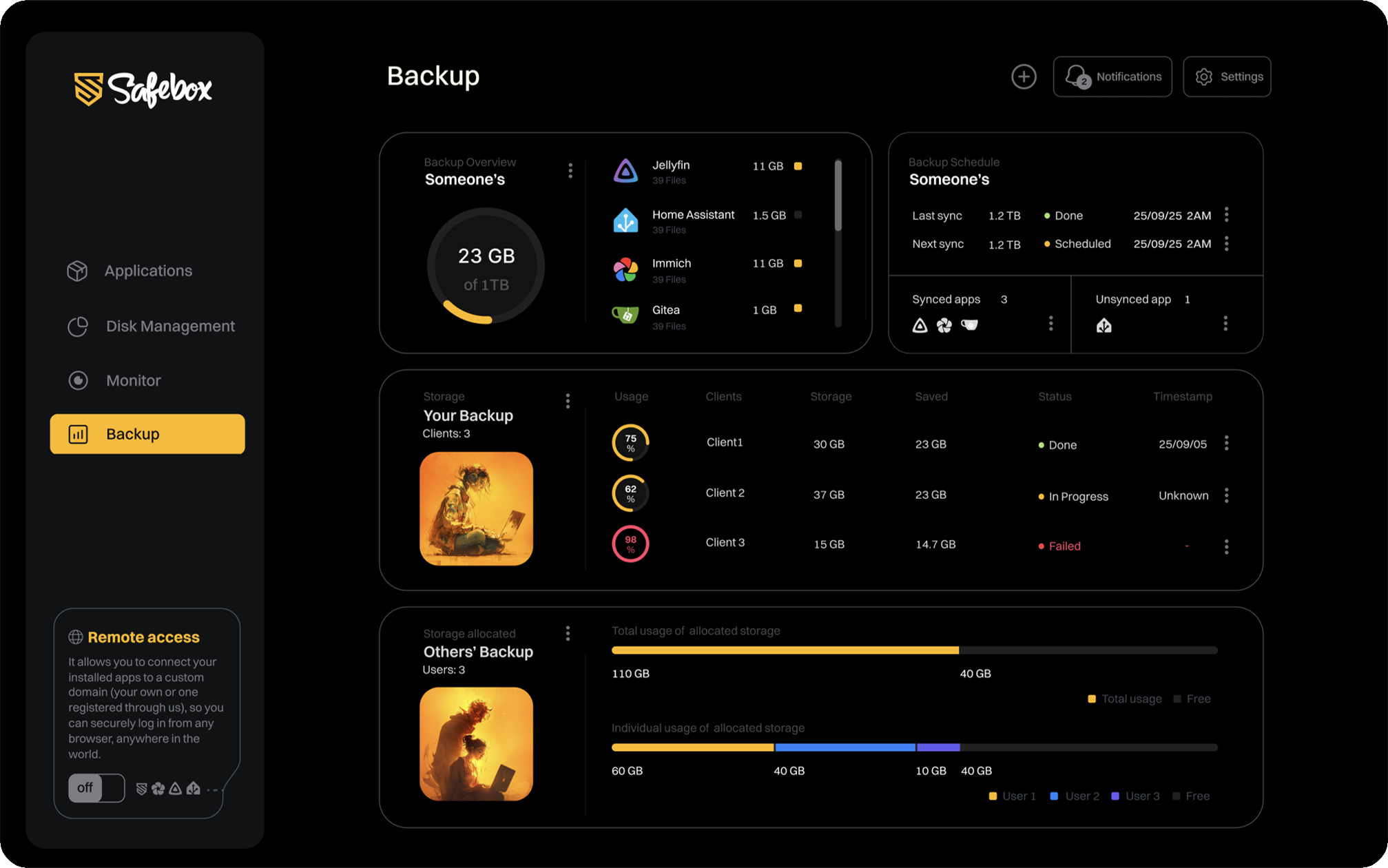
Upcoming: Backup
At Safebox, we are committed to continuously updating our services by listening to our community and addressing their needs. Backup makes it easier than ever to control and protect your files. With flexible scheduling and one-click restores, you can enjoy complete peace of mind knowing your data is always safe. Scheduled for 2026 Q2
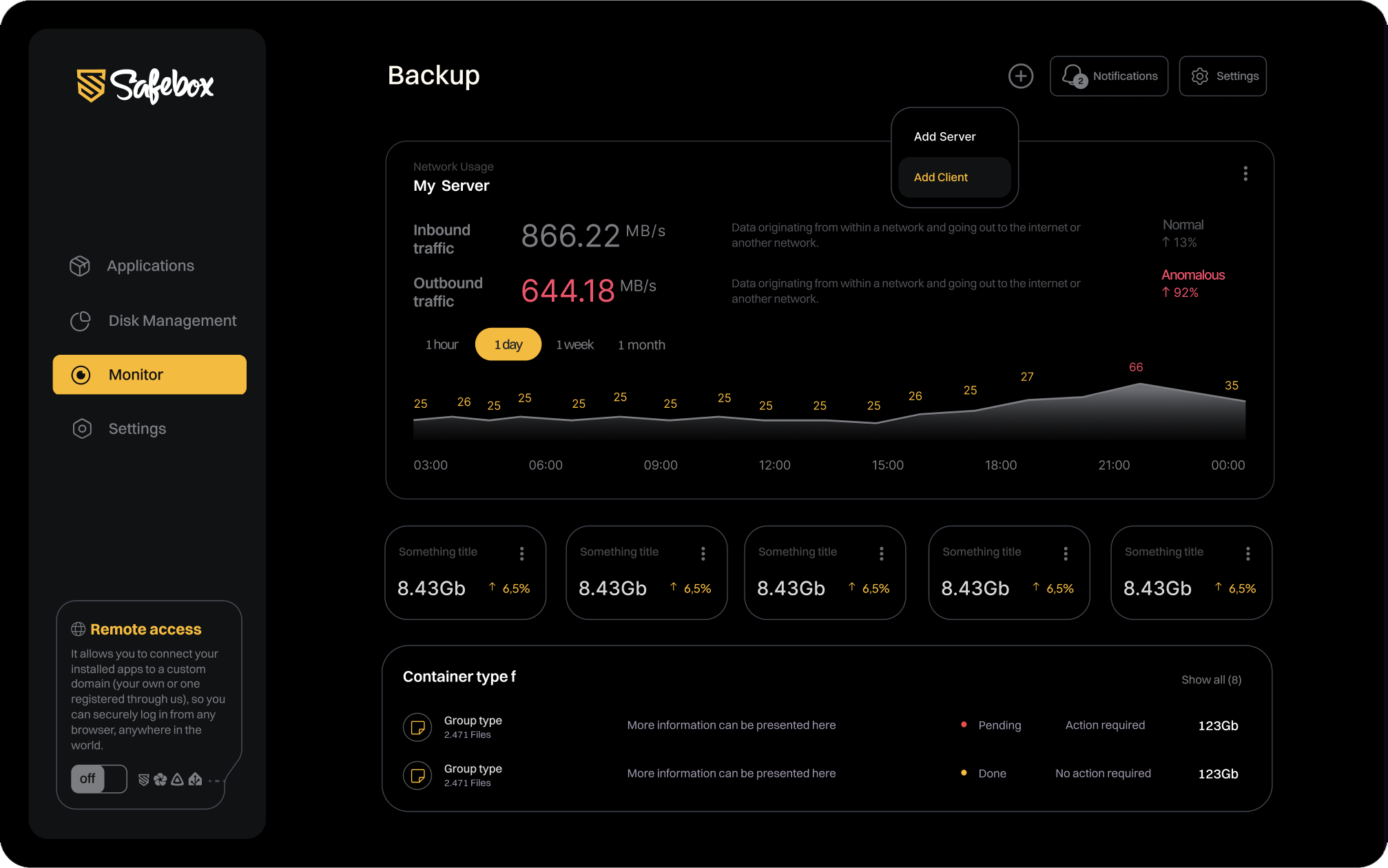
Upcoming: Monitor
The Safebox Monitor keeps you in control by giving real-time insights into your system’s health. From network usage and disk load to backup status and storage capacity, you can track everything in one dashboard. With instant alerts and easy-to-read graphs, it helps you act before issues become problems. Scheduled for 2026 Q2
All-in-One.
Apps for work, home and life.
Safebox includes a curated set of trusted open-source apps that are actively maintained, widely used, and tested for seamless performance. From file storage to media streaming, each application is pre-checked for reliability, security, and smooth integration.
You can install them in just a few clicks and start using them right away — no complex setup required. And because everything runs locally, your data stays private and under your full control.


Immich is a photo and video management platform designed as an alternative to Google Photos.

Nextcloud is a suite of client-server software for creating and using file hosting services.

Jellyfin is a media server to manage and stream any media collections via web interface.

Home Assistant is a home automation software that acts as a central hub for controlling smart devices.

Apache Guacamole is a remote gateway with secure access to desktops and servers via web browser.

Vaultwarden is an unofficial implementation of the Bitwarden password manager server.

Transmission is a BitTorrent client with web interface for managing torrent downloads.

SMTP (Simple Mail Transfer Protocol) is the standard protocol for sending outgoing emails.

Outline is a knowledge management and wiki application designed for teams to organize documentation.

Filebrowser is a file managing via web interface to access and manage your directories and files.

Leantime is an open-source, strategic project management system designed for small teams and startups.

Gitea is self-hosted Git service that provides a web interface for managing git repositories.

PocketID is an open-source identity and access management solution with passkey authetication.

Matrix is an opensource commucation platform that provides secure messaging and other services.

Free for all.
Fair for all.
- Selfhosted apps
- Deployment via containers
- No-Code operation
- Encrypted multi-endpoints backup
- Network traffic monitoring
- Disk usage administration
- Remote access
- Extended supervision with alerting
- Geo-redundant backup